iPhone & iPad · iOS 17 and later
Photos that stay on your phone.
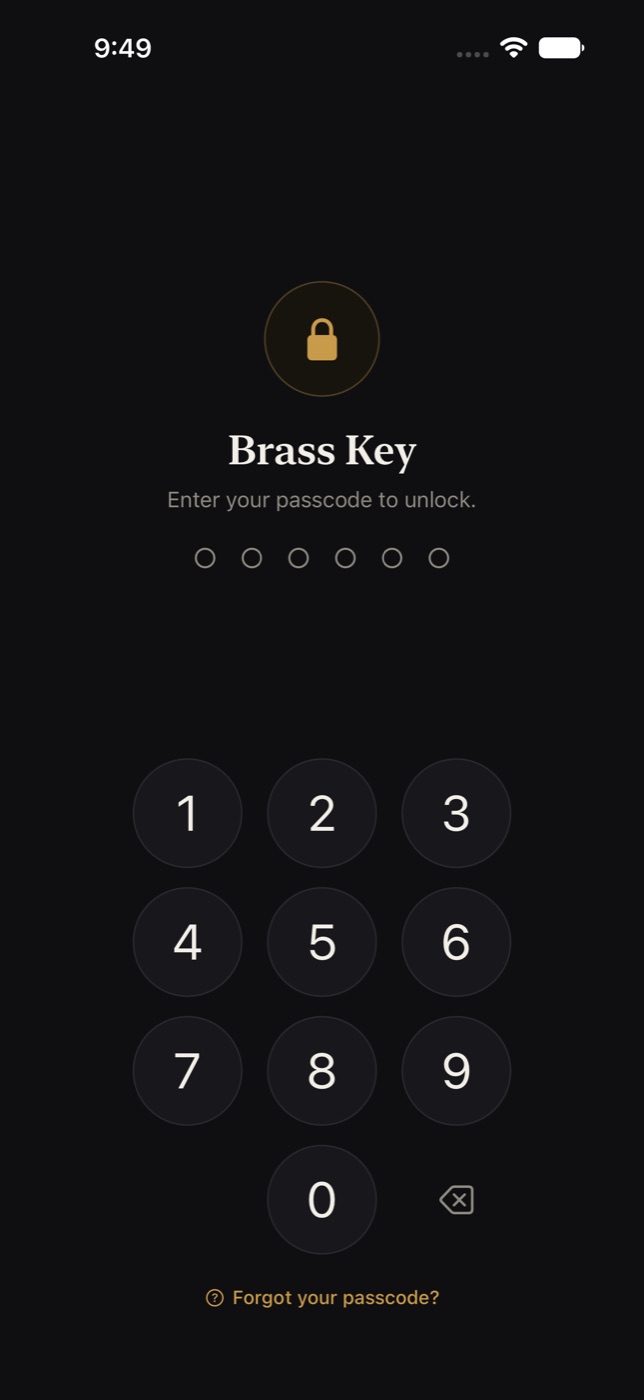
Brass Key is a photo vault that lives on your device and nowhere else. Everything in it is encrypted with a key only your passcode opens — and we do not have that key, because there is no we in the loop.
No account. No sign-up. Nothing to create but a passcode.
How it works
Encrypted on the device, opened by your passcode
When you set up your vault, the app generates a random encryption key and locks it with a key derived from your passcode. Your passcode is never stored — only the locked result, which is useless without it. Face ID or Touch ID can open the vault day to day; the passcode is always there underneath.
AES-256, done properly
Every photo, thumbnail, album name and caption is encrypted. Your passcode is stretched with 600,000 rounds of PBKDF2 before it touches anything.
Makes no network requests
No analytics, no crash-reporting service, no advertising identifier and no third-party code of any kind. Even the optional tag suggestions run on the device, using the image analysis built into iOS. The only traffic is Apple's, for the subscription.
Locks when you leave
Leaving the app discards the keys from memory, not just the screen. Set a grace period, or none. Too many wrong passcodes can erase the vault, if you turn that on.
Hidden from the app switcher
The screen is covered before iOS takes its app-switcher snapshot, and the vault is left out of iCloud and computer backups, so no copy leaks that way.
Location data, your call
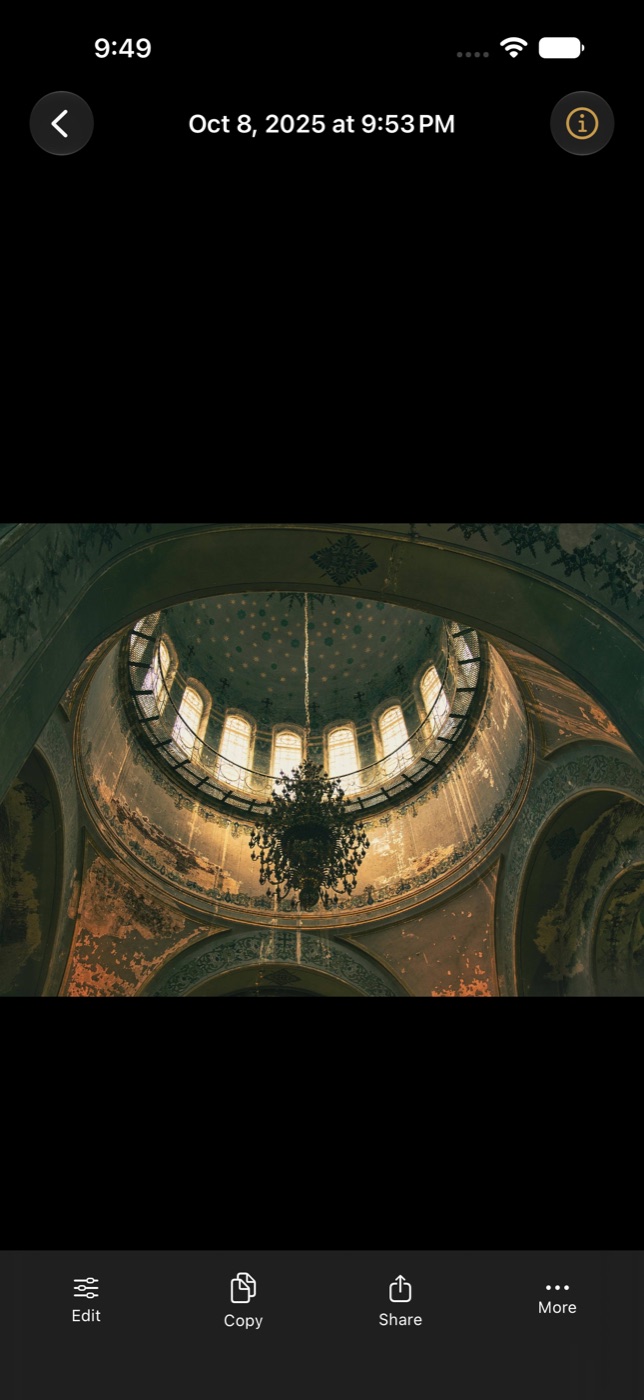
GPS coordinates stay inside the photo's file, encrypted with it. The photo's Info shows them, read on your device, and the app never sends them anywhere. Strip them as photos come in with one setting, or take them out of any photo, selection or album later, so a photo you share does not say where it was taken.
A privacy report you can read
Settings has a plain-language page listing exactly what the app can and cannot see, what leaves the device, and what does not. It is short, because the answer is short.
-
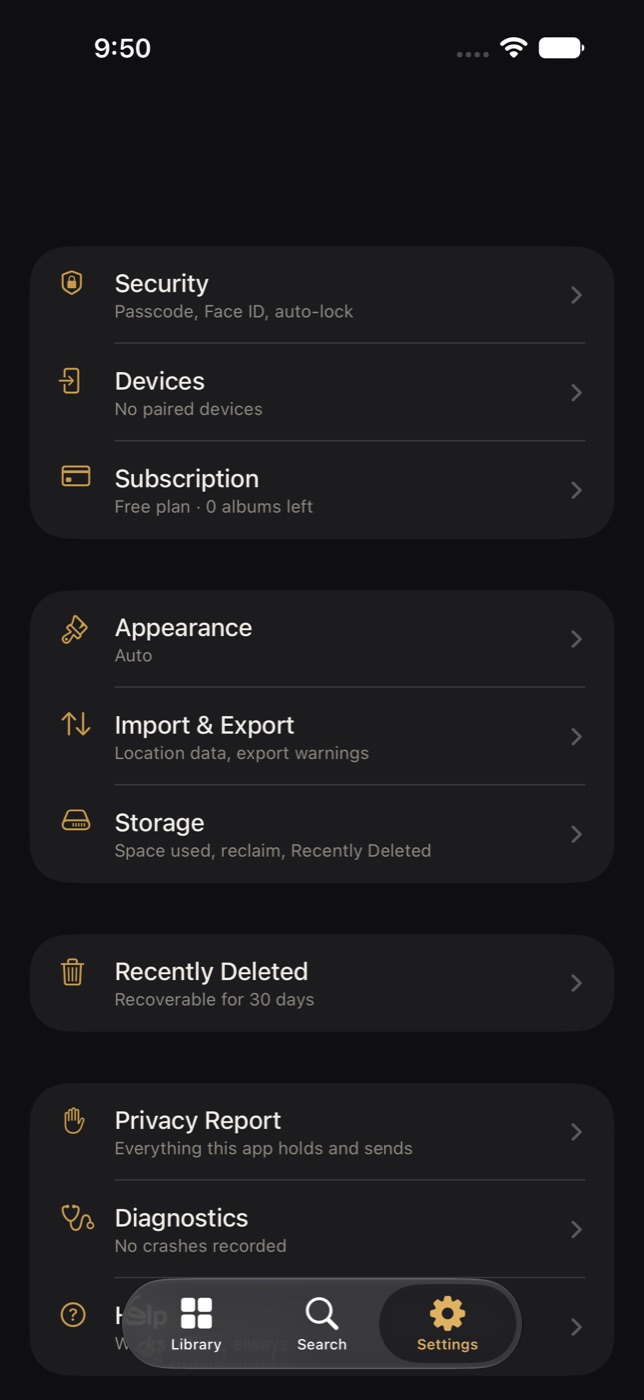
Settings, with security first. -
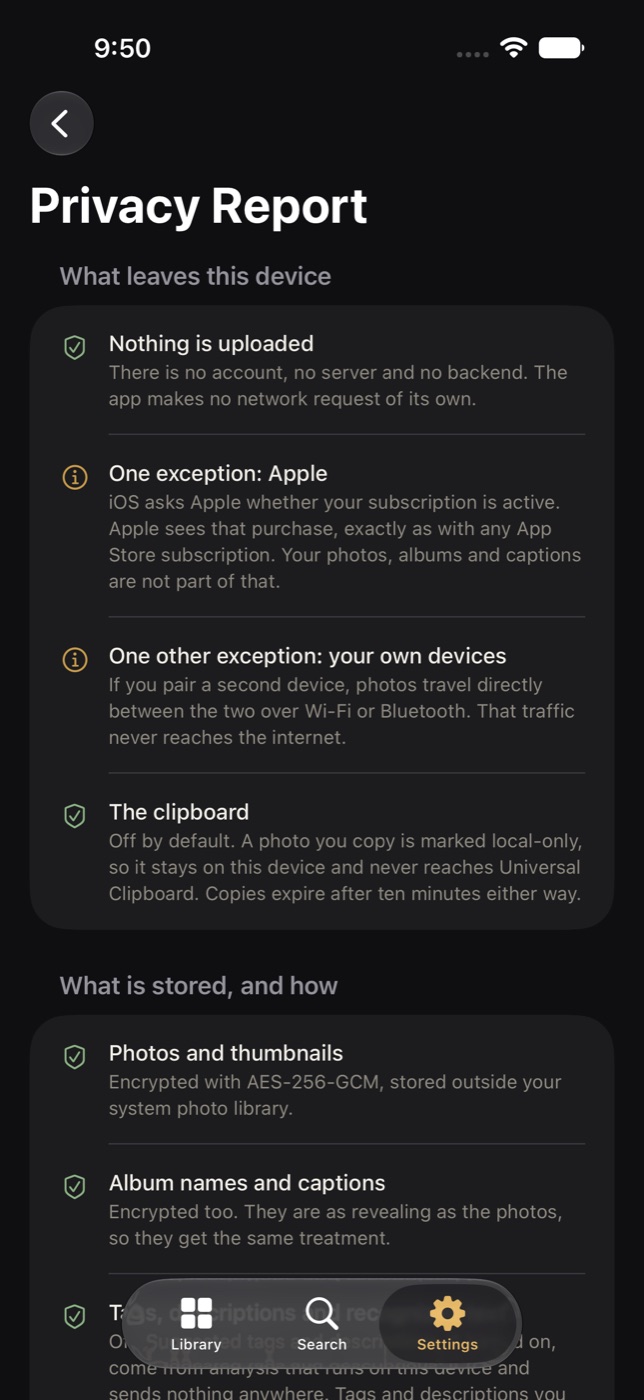
The privacy report, in the app.
Everyday use
A proper photo app, not just a locked folder
Privacy is the reason to have a vault. The rest of this is the reason to keep using it.
Photos in from anywhere
Import from your photo library or Files, take a photo straight into the vault with the camera, or use the share sheet from any app — even while the vault is locked. Importing can delete the original from your camera roll if you ask.
Albums that nest
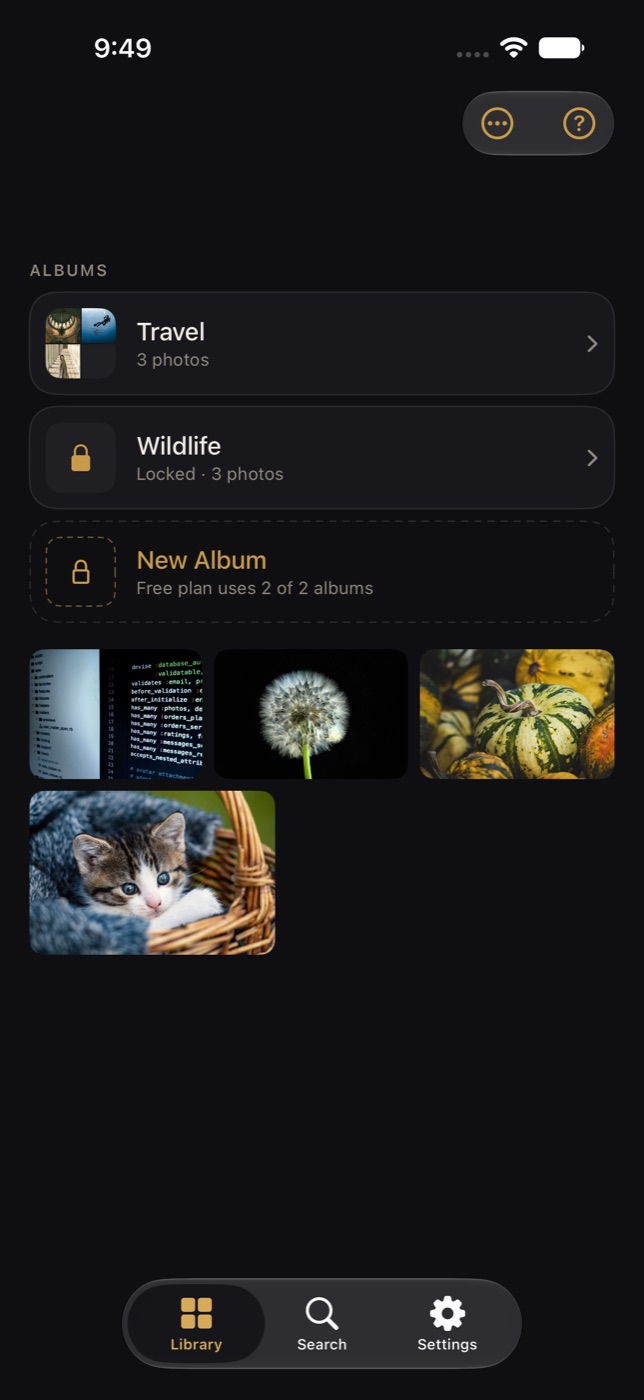
Albums inside albums, as deep as you like. Pick any photo as an album's cover. Long-press to select many photos at once and move, copy, share or delete them together.
Lock individual albums
Put a second lock on any album. It asks for Face ID or your passcode again before it opens, and until then its photos stay out of search and out of sight. You can still add to it from the share sheet, after a Face ID check there.
Edit without losing the original
Crop, straighten, adjust and filter. Save over the current image or keep it as a new version — the original stays put either way, and every version is there to go back to.
Tags and descriptions, yours or the device's
Tag and describe any photo yourself, or — if you turn it on — let the phone suggest tags and assemble a one-line description for VoiceOver by looking at the photo on the device with the image analysis built into iOS. It can read the text in a receipt so you can search for the words in it. Opt-in, on-device, free, and nothing about a photo is sent anywhere.
Find things again
Search by album name, caption, tag, file name, date, or the words in a document. Swipe between photos in an album, pinch to zoom, and open the info panel for the details.
Compare, and show without handing over
Put two photos side by side, or an edit beside its original, each with its own zoom. Or pick a few photos to show someone: only those can be seen, with the rest of the vault shut until Face ID or Touch ID says it is you again.
Photos out, on your terms
Share, save back to Photos, or export a whole album. Copy a photo and the clipboard forgets it after ten minutes and, unless you say otherwise, keeps it off your other devices.
Nothing is deleted in a hurry
Deleted photos wait in Recently Deleted for thirty days, where they can be put back. Emptying it is the only thing that removes them for good.
Two looks, and one that switches
A dark Vault theme, a light Daylight theme, or Auto, which changes over at hours you choose.
Usable by everyone
Every screen works with VoiceOver and Voice Control, follows your text size up to the largest, honors Reduce Motion, Reduce Transparency and Increase Contrast, and never tells you something by color alone. What is supported, and what is still being worked on.
In your language
Seventeen languages: English, Spanish, French, German, Italian, Portuguese, Dutch, Swedish, Danish, Norwegian, Polish, Turkish, Russian, Japanese, Korean, and Simplified and Traditional Chinese. The app follows your device's language and never asks which it is.
Made for iPad too
On an iPad the albums sit in a sidebar beside the photos, and a photo's details stand in a column beside it — the same vault, laid out for the larger screen. The layout follows the screen, not the device, so it keeps your place when the screen changes size.
A look inside
The same app, on an iPhone and an iPad
Taken from the app itself, with a demonstration vault. The photographs in it are stock; everything else is exactly what you would see.
-
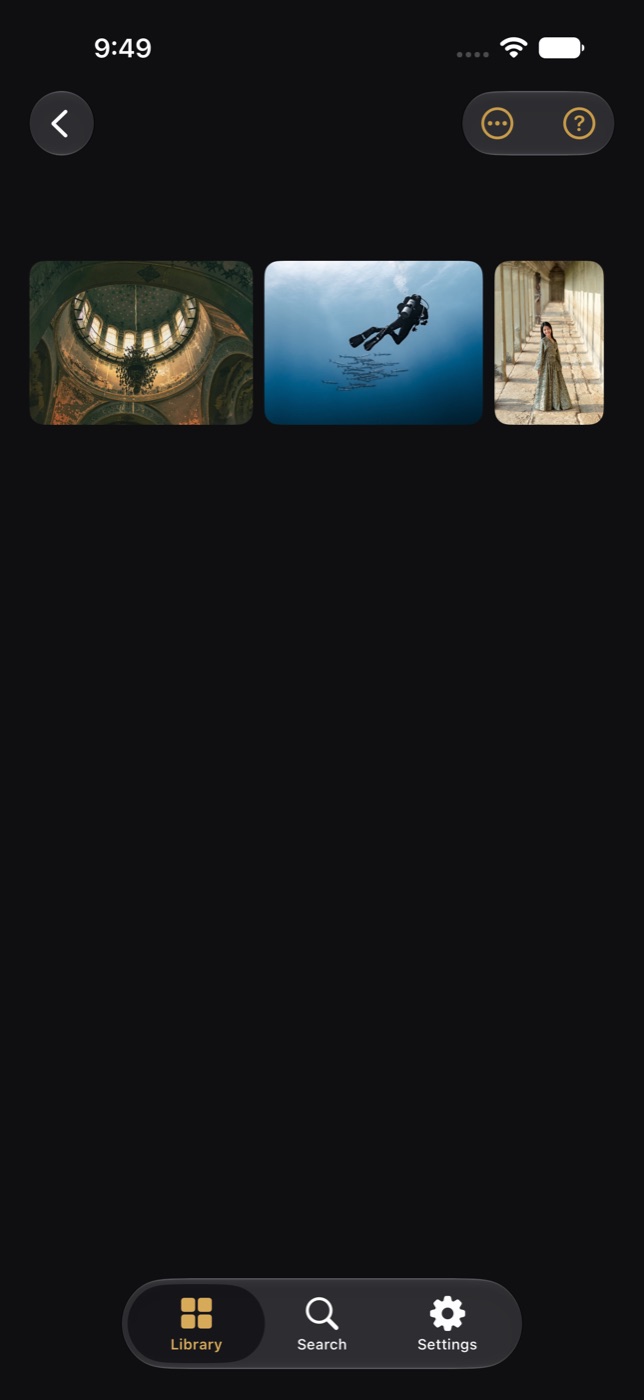
Inside an album. Albums nest as deep as you like. -
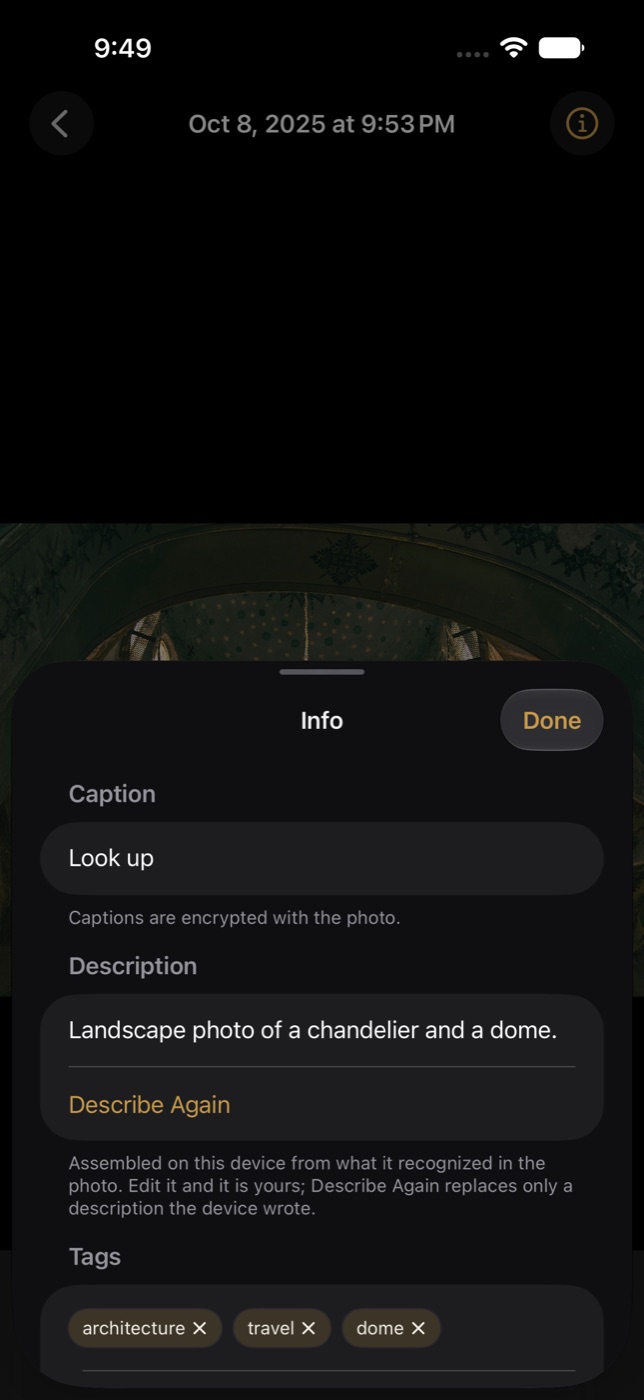
Info: a description for VoiceOver, your tags, and the ones the device suggests. -
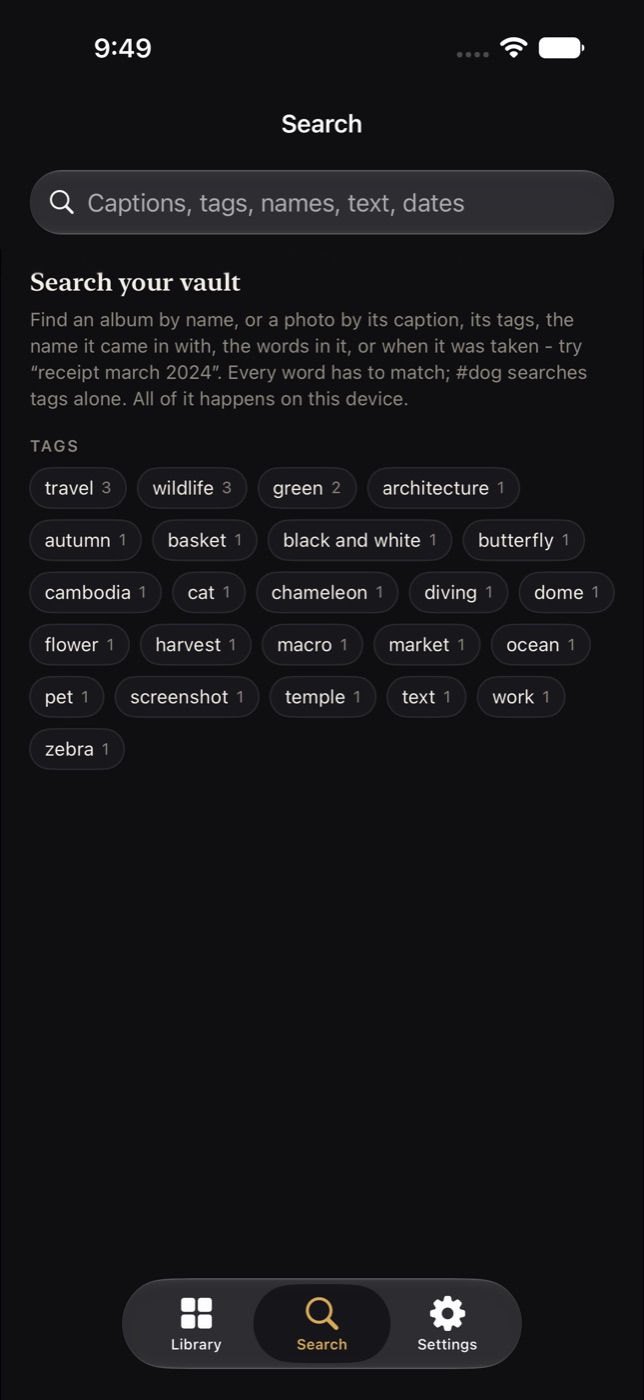
Search starts with your tags. Then captions, file names, text and dates. -
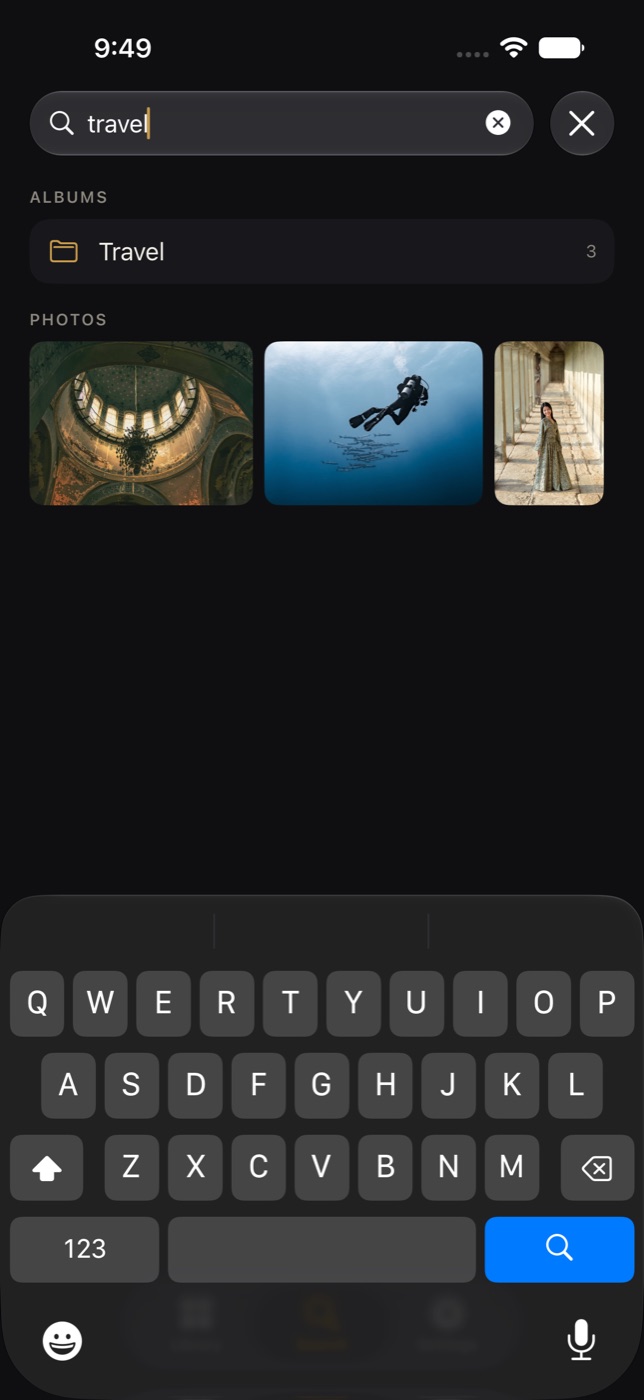
One word finds the album and every photo tagged with it. -
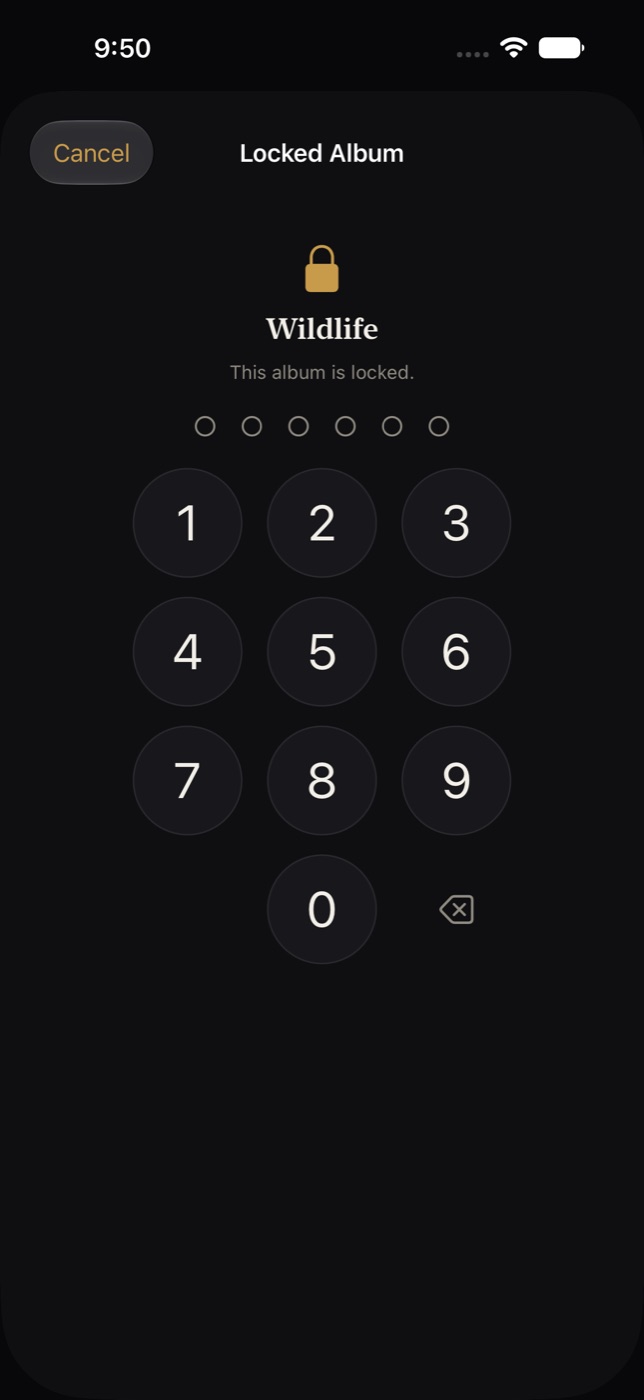
A locked album asks for Face ID or your passcode again before it opens.
-
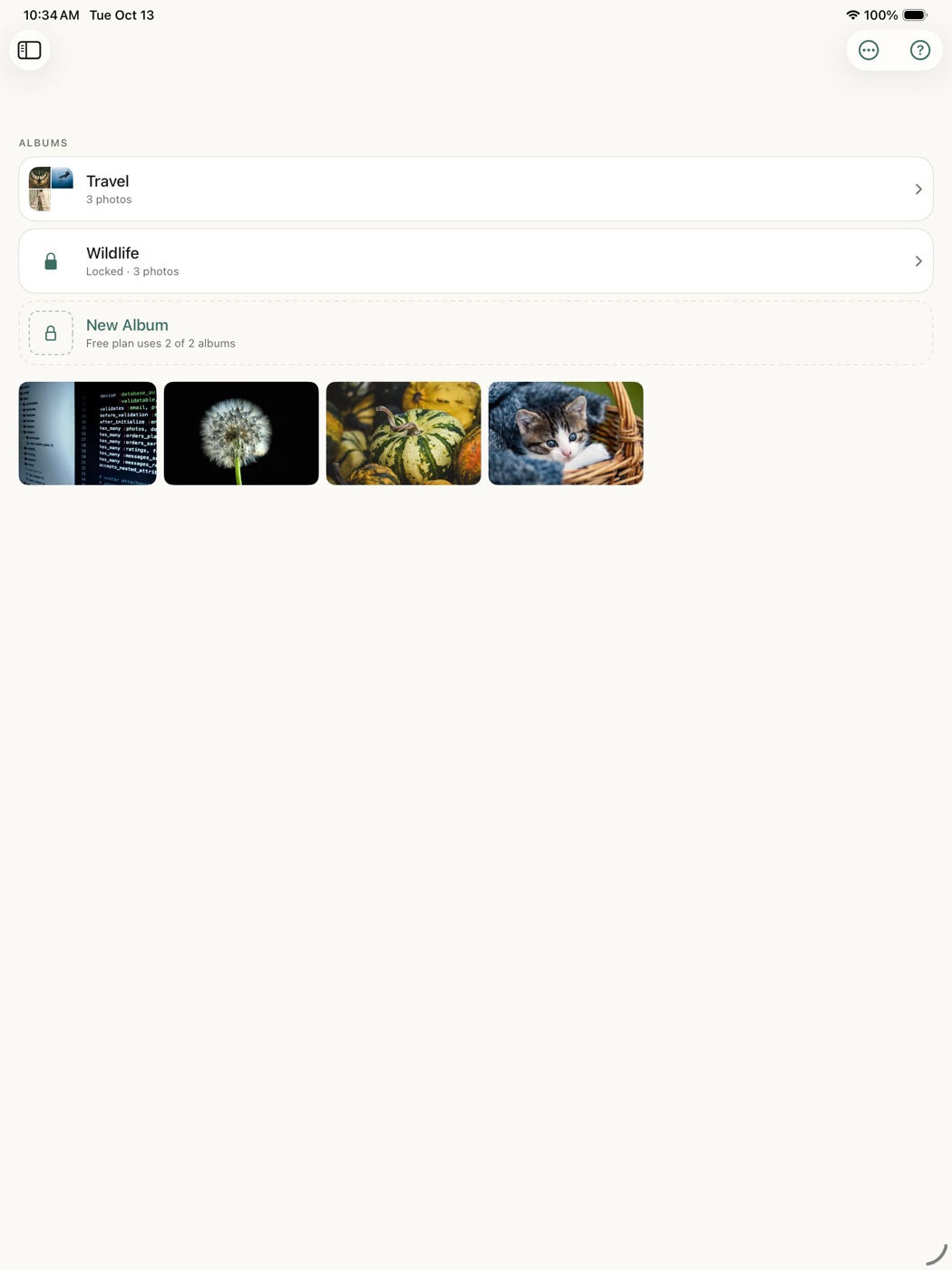
On an iPad the albums sit in a sidebar beside the photos. -
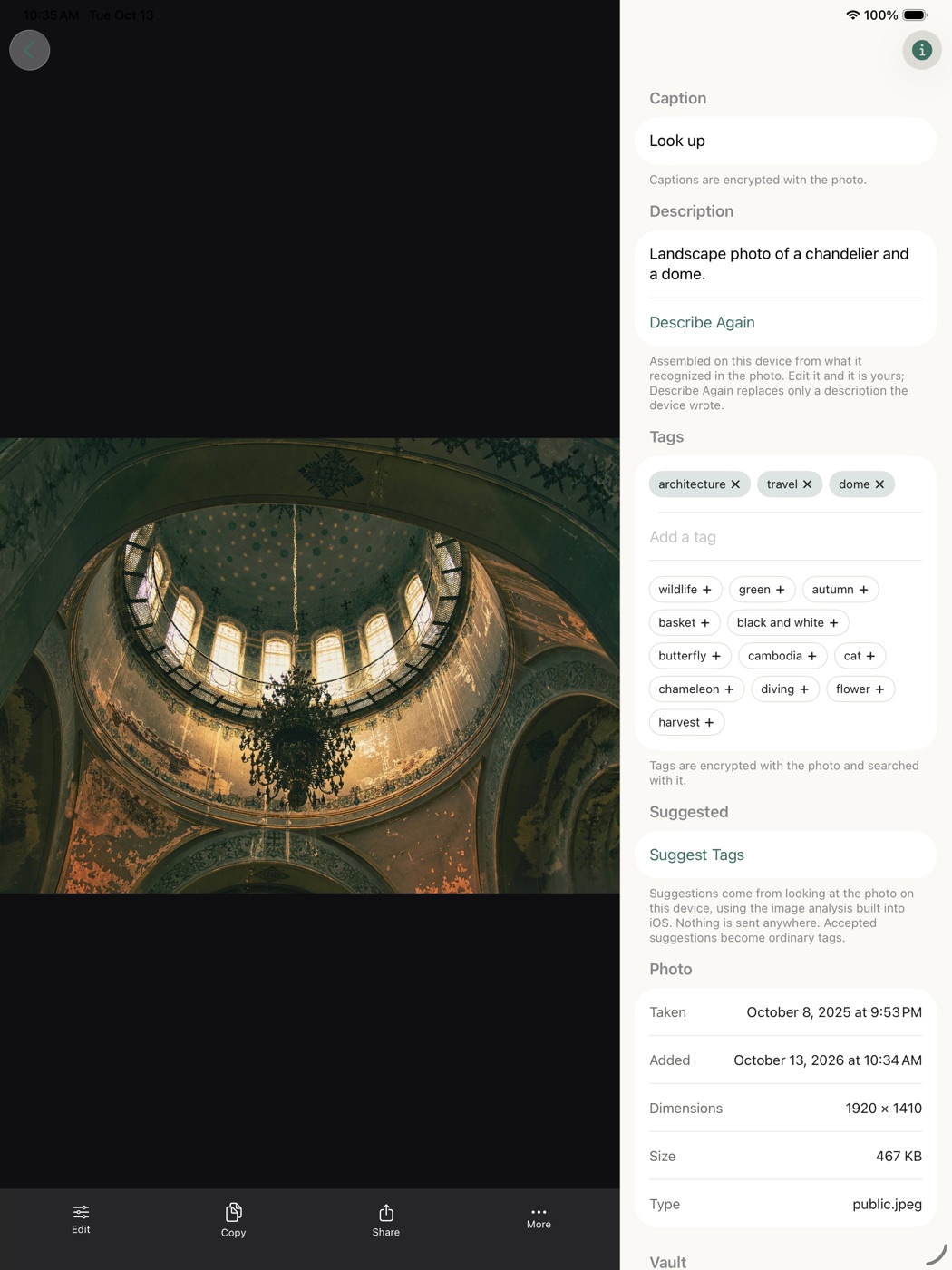
A photo with its caption, description and tags in a column beside it. -
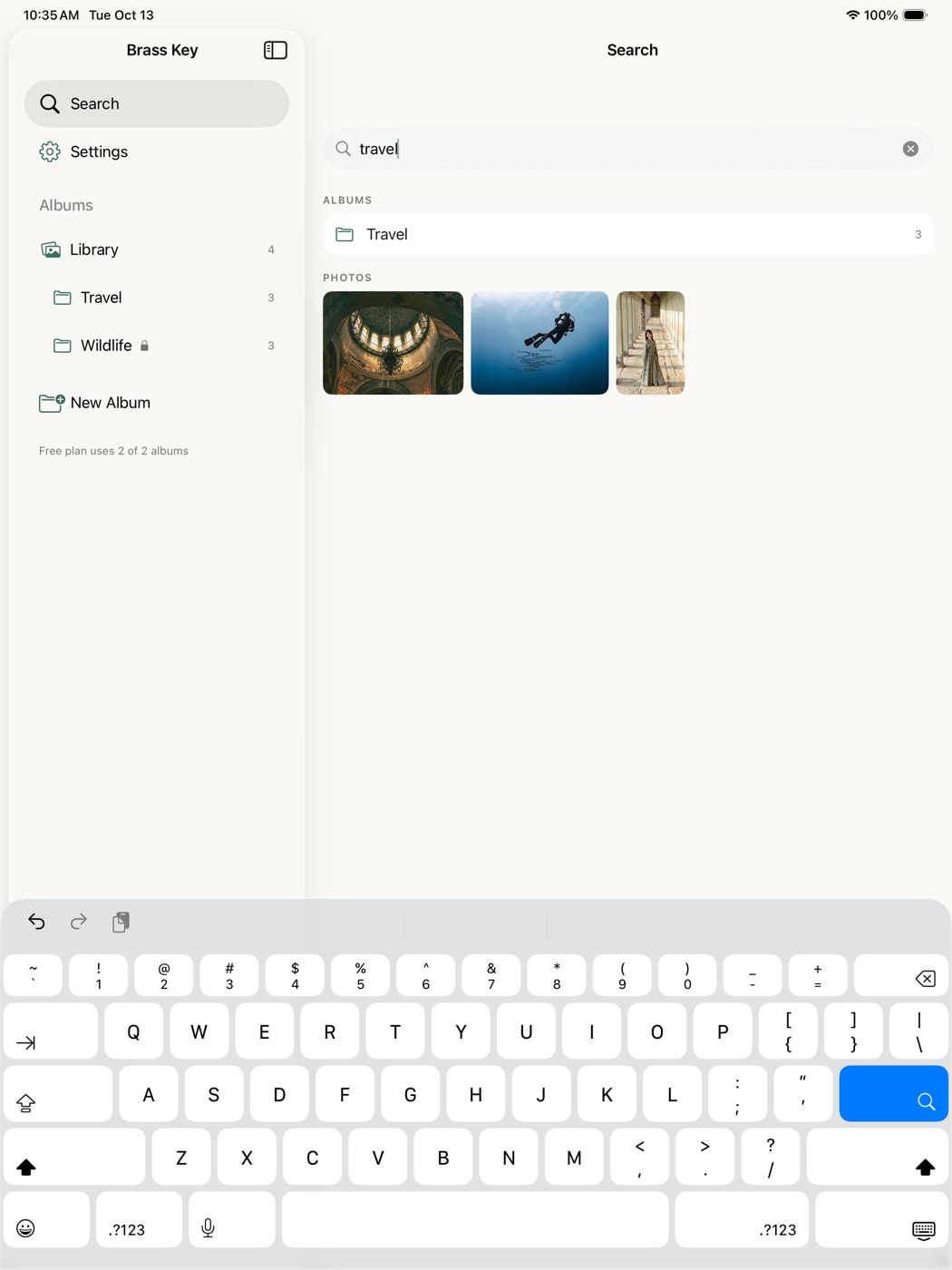
Search, with the albums still in reach. -
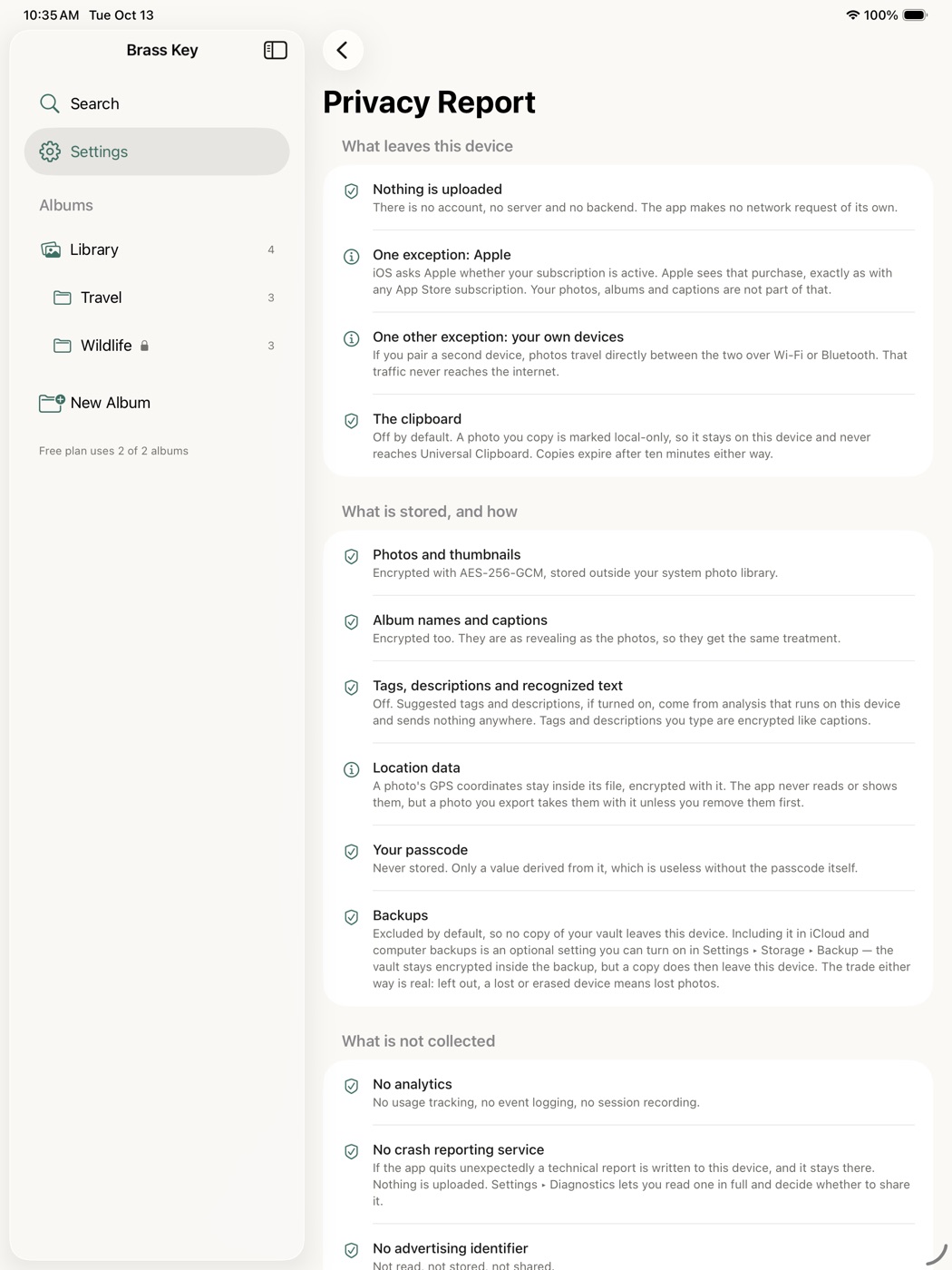
The privacy report, in plain words, on every device.
Two devices
Sync without a server
Pair an iPhone and an iPad of your own, once, by checking that the same six digits appear on both. After that, whenever both have Brass Key open and unlocked nearby, they bring each other up to date by themselves — albums, photos, captions, tags, descriptions, edits, locks and deletions — directly over Wi-Fi or Bluetooth, from one of your devices to the other and nowhere in between. Nothing is uploaded, because there is nowhere to upload it to; your photos and everything about them stay in your sole possession.
A small icon at the top of the library turns while a sync is running. Tap it to see which device it is talking to, how many photos have moved, and the one moving now — or to sync right away, or stop.
Every transfer is encrypted with a key the two devices agree on at pairing time, on top of the encryption the link already has. A device that was not paired in person cannot join, and cannot pretend to be one that was.
The part nobody else says out loud
If you forget your passcode, your photos are gone.
That is not a gap we intend to close. A reset link, a recovery email or a support team who can let you back in would each mean somebody other than you can open your vault — and then the encryption is theater.
So: write your passcode down and keep it somewhere safe. Turn on Face ID so you rarely have to type it. Pair a second device if you want a copy that survives losing your phone.
We cannot recover it. Not for you, not for anyone with a court order, not for ourselves. There is nothing on our side to recover from.
Price
Free to keep your photos safe. Paid to keep them organized.
Everything that protects your photos is free and always will be. Holding security features back from people who have not paid would make this a worse privacy app, not a better business.
Free
$0 / forever
- The encrypted vault itself
- Passcode, Face ID and Touch ID
- Unlimited photos
- Every way in: library, Files, camera, share sheet
- The full editor and version history
- Tags, descriptions, on-device suggestions and search
- Comparing photos, and showing a chosen few
- Removing location data from any photo
- Captions and Recently Deleted
- Sharing, copying and export
- Your Library album, plus two more
Brass Key Pro
$1.99 / year
- Everything in Free
- Unlimited albums and sub-albums
- Locked albums
- Device-to-device syncing, automatic when both are open
If a subscription ends, nothing is hidden, locked away or deleted. Every album you made keeps working, every lock you set still opens and can still be removed, and your paired devices keep syncing.
What we can see
Nothing. There is no account to sign into, no server to store anything on, and no analytics collecting what you do.
Apple handles the subscription, so Apple knows you bought one, exactly as with any App Store purchase. That is the entire list, and the privacy policy says so in more detail and in the same plain words.